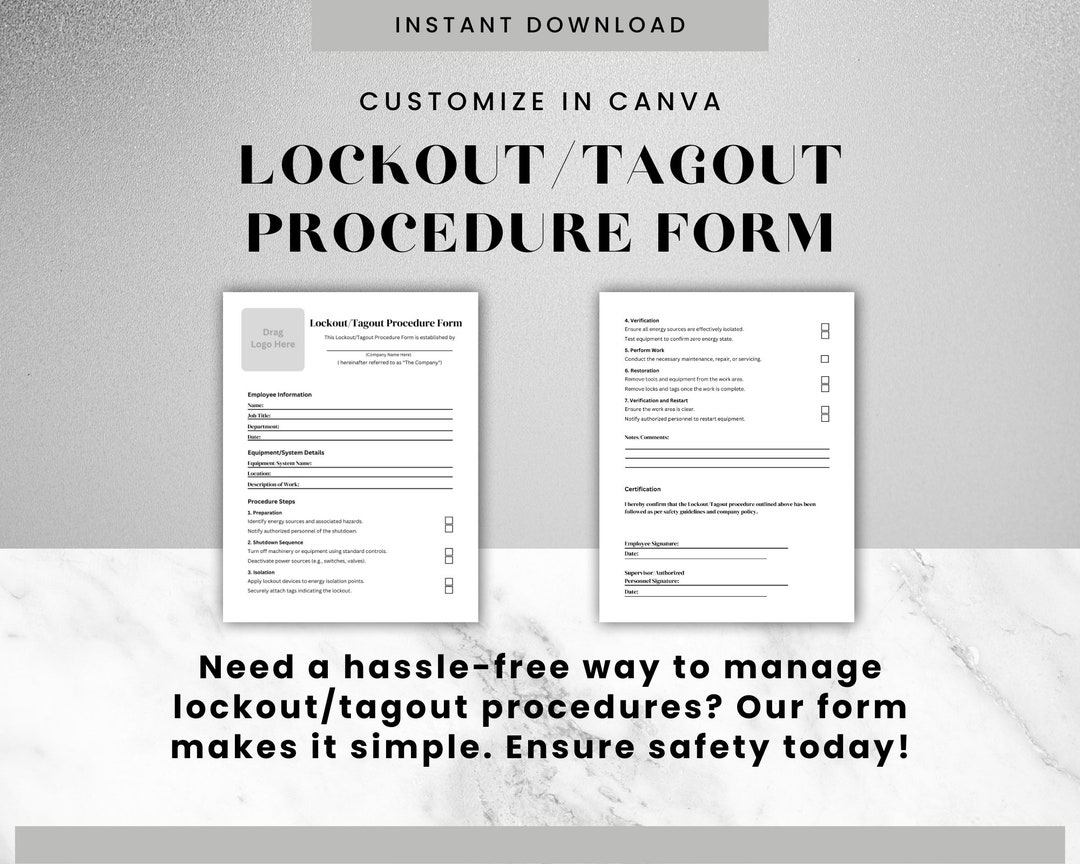
Equipment failure isn’t the biggest risk during maintenance—improper shutdown procedures are. One overlooked switch, one mislabeled valve, and a technician could be exposed to hazardous energy capable of causing severe injury or death. The lockout tagout procedure form is not just paperwork—it’s the last line of defense.
This document standardizes how machines are de-energized, isolated, and verified safe before work begins. It ensures every step of the lockout tagout (LOTO) process is recorded, traceable, and auditable. For safety managers, maintenance leads, and compliance officers, mastering the use and design of this form is non-negotiable.
What Is a Lockout Tagout Procedure Form?
A lockout tagout procedure form is a documented, step-by-step guide used to control hazardous energy during servicing or maintenance of machinery. It outlines how to safely shut down, isolate, lock, and tag equipment to prevent accidental startup.
This form goes beyond a checklist. It includes specific details such as: - Equipment identification (name, ID number, location) - Type of energy sources (electrical, hydraulic, pneumatic, chemical, thermal) - Sequence of shutdown and isolation steps - Authorized employee information - Lock and tag placement map or list - Verification of zero energy state - Sign-off fields for each phase
It’s not generic. Each form is tailored to a specific machine or system. A conveyor line in a food processing plant will have a different form than a hydraulic press in an automotive shop.
Why This Form Is Critical for Compliance and Safety
OSHA’s standard 29 CFR 1910.147 mandates the use of energy control procedures. Employers who fail to implement documented LOTO procedures face penalties exceeding $16,000 per violation. More importantly, they risk lives.
Consider this real-world scenario: At a Midwest packaging facility, a technician entered a jammed sorter to clear debris. The machine wasn’t properly locked out. A coworker restarted it remotely, resulting in a crushed hand. Investigation revealed no LOTO form existed for that equipment—and no training had been conducted.
A properly filled-out lockout tagout procedure form would have: - Required shutdown verification - Mandated lock application by the authorized worker - Prevented unauthorized re-energizing - Recorded accountability
This isn’t about ticking boxes. It’s about creating an auditable chain of responsibility.
Key Elements of an Effective LOTO Form
A well-designed form balances clarity with compliance. Cluttered layouts or missing fields lead to mistakes. Here are the essential components:
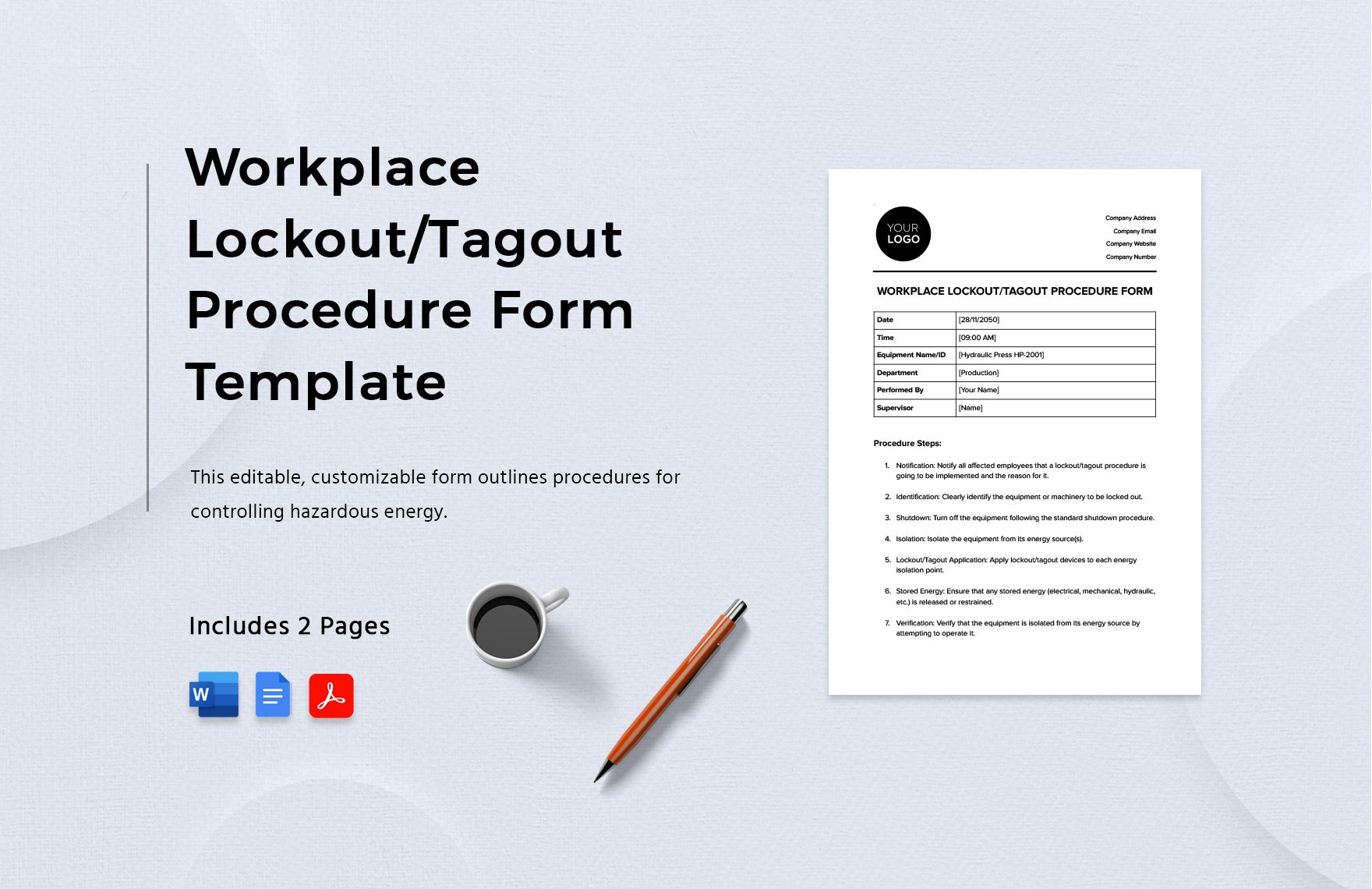
1. Equipment Identification Clearly name the machine, include asset number, and specify location. Avoid vague labels like “north conveyor.” Use “Conveyor Line C-7, Packaging Section, Floor 2.”
2. Energy Source Breakdown List every energy type involved:
- Electrical (voltage level)
- Hydraulic (fluid type, pressure)
- Pneumatic (air lines, regulators)
- Thermal (steam, heated surfaces)
- Mechanical (springs, gravity-fed systems)
3. Step-by-Step Isolation Instructions
This section must be machine-specific and unambiguous. Instead of “Turn off power,” write: - “Switch main disconnect (ID: E12) to OFF position.” - “Close valve V-3 on hydraulic line; bleed pressure via relief port.”
4. Lock and Tag Placement Indicate where each lock and tag must be applied. Use a table:
| Lock ID | Device Type | Location | Applied By | Time |
|---|---|---|---|---|
| LK-09 | Circuit Breaker | Panel B3 | J. Smith | 08:15 |
| LK-10 | Isolation Valve | Hydraulic Feed | T. Lewis | 08:17 |
5. Verification of Zero Energy
This is where workers prove the machine is safe. The form should prompt actions like: - Attempting to start the machine (with guards open) - Using a voltage tester on circuits - Confirming pressure gauges read zero
6. Sign-Off and Release Authorization Only the original lock applicator should remove their lock. The form must include: - Technician name and signature - Time of lock application and removal - Supervisor verification (if required)
Common Mistakes That Undermine LOTO Forms
Even organizations with forms in place often make critical errors:
Mistake 1: Using a One-Size-Fits-All Template Applying the same form to multiple machines ignores unique energy control needs. A CNC lathe and a boiler require fundamentally different shutdown sequences.
Mistake 2: Skipping Verification Steps Workers may sign off on zero energy without testing. The form should require documented proof—not assumptions.
Mistake 3: Allowing Group Lockout Without Clear Roles In group maintenance, a designated coordinator must oversee the process. The form should identify this person and list all participating workers.
Mistake 4: Failing to Update Forms After Equipment Changes If a new control panel is installed, the LOTO form must reflect it. Outdated documents are dangerous.
Mistake 5: Poor Accessibility Storing forms in a binder in the office defeats their purpose. Digital versions accessible via tablets at the machine location improve compliance.
When to Use Digital vs. Paper-Based LOTO Forms
Paper forms are familiar but fragile. They can be lost, damaged, or filled out retroactively. Digital solutions offer real-time tracking, photo uploads, and integration with maintenance systems.
Paper forms work best when: - Equipment is low-risk and infrequently serviced - Digital infrastructure is limited - Backup is needed during system outages
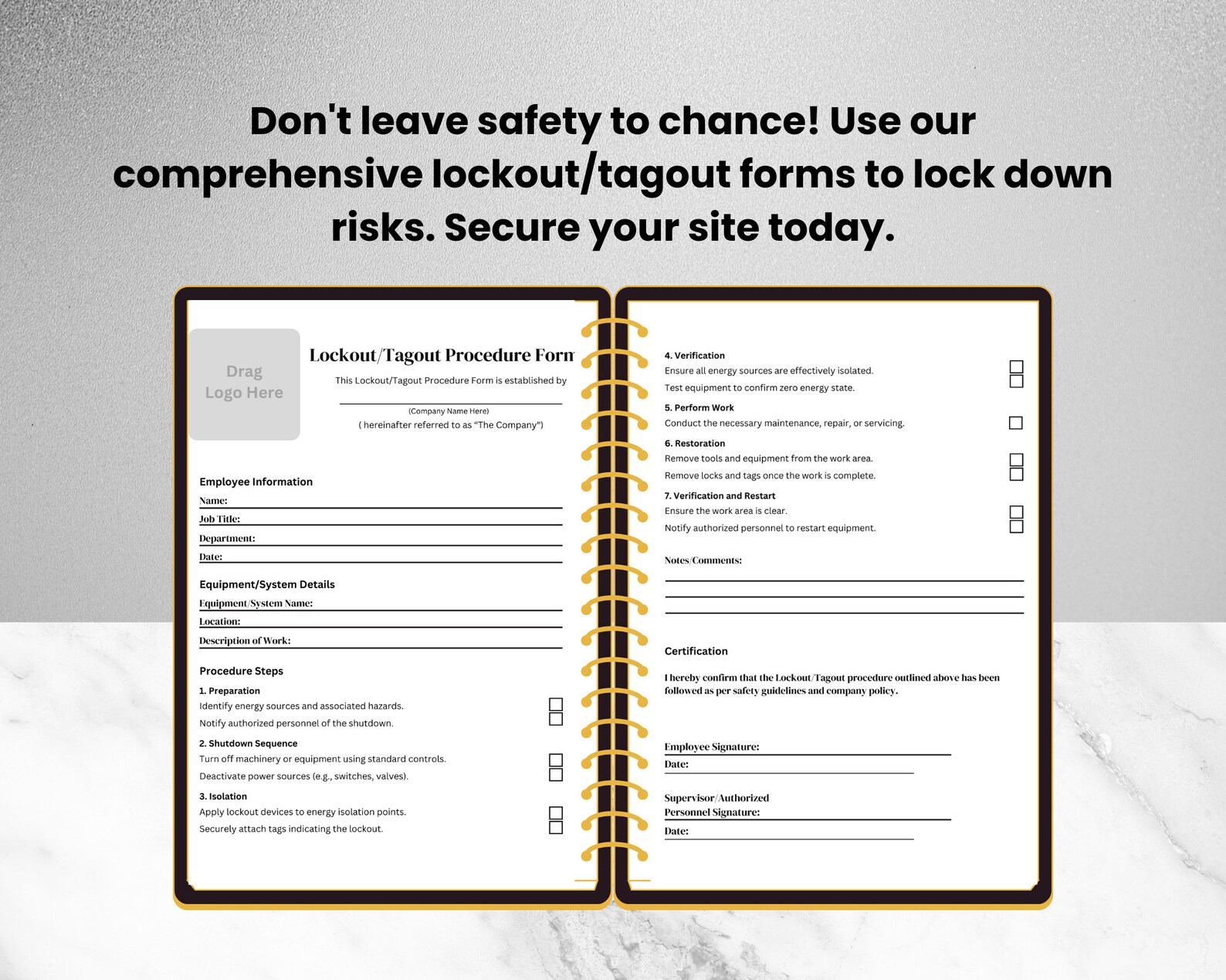
Digital forms excel when: - Multiple shifts or locations are involved - Audit trails are required - Integration with CMMS (Computerized Maintenance Management Systems) exists
Many leading manufacturers use a hybrid model: digital forms as primary, with printed copies available during internet downtime.
5 LOTO Form Templates and Tools to Consider
While you can build your own, pre-designed templates save time and ensure compliance. Here are five reliable options:
| Tool Name | Format | Key Features | Best For |
|---|---|---|---|
| Creative Safety Supply | PDF / Editable | OSHA-aligned, equipment-specific fields | Quick deployment in small plants |
| SafetyCulture (iAuditor) | Mobile App | Real-time sign-off, photo evidence, cloud sync | High-risk or multi-site operations |
| Grainger LOTO Builder | Web-based | Step-by-step generator, printable outputs | Companies building forms from scratch |
| BradyLockout.com | Software | Diagram integration, lock tracking, training | Large facilities with complex systems |
| LockoutTagout.com | Free Templates | Simple, printable, customizable | Nonprofits or budget-limited teams |
Choose based on your operational scale, risk profile, and existing systems. A facility with 500 machines needs more sophistication than one with five.
How to Train Teams Using the LOTO Form
A form is only as good as the people using it. Training should include: - Walkthroughs of actual forms for specific machines - Hands-on practice filling out and applying locks - Simulated audits where employees spot missing steps - Role-playing group lockout scenarios
One chemical plant reduced LOTO incidents by 70% after introducing quarterly drills using blank forms. Technicians were required to complete a full procedure on a deactivated reactor—timed and graded.
Include refresher training annually, or immediately after an incident or near-miss.
Integrating the Form Into Your Safety Management System
The lockout tagout procedure form shouldn’t live in isolation. It should connect to: - Preventive maintenance schedules - Incident reporting systems - Employee training records - Compliance audits
When a maintenance ticket is created, the corresponding LOTO form should be automatically attached. After work is completed, the signed form is stored digitally with the work order.
This integration turns the form from a compliance artifact into an operational asset.
Conclusion: Treat the Form as a Living Document
A lockout tagout procedure form is not a static PDF buried in a folder. It’s a dynamic tool that evolves with your equipment, workforce, and safety culture. Update it when machinery changes. Audit it during safety reviews. Use it to coach, not just to comply.
Start today: Pull the form for your most hazardous machine. Walk through it with a technician. Test every step. If anything is unclear, revise it immediately.
Your team’s safety depends not on having a form—but on having one that works.
Frequently Asked Questions
What should be included in a lockout tagout procedure form? A complete form includes equipment ID, energy sources, shutdown steps, lock/tag locations, verification methods, and sign-off fields.
Who is responsible for filling out the LOTO form? Authorized employees—those trained and designated to perform servicing—are responsible for completing and signing the form.
Can a LOTO form be reused? Yes, the same form can be used across multiple maintenance events, but each instance must be filled out separately and archived.
Do all machines need a LOTO form? Any equipment with hazardous energy that requires servicing or maintenance must have a documented procedure.
How often should LOTO forms be reviewed? Annual reviews are required by OSHA, but updates should happen immediately after equipment modifications or incidents.
Can digital signatures be used on LOTO forms? Yes, if the system ensures authenticity, integrity, and traceability—common in CMMS or safety software platforms.
What happens if a step is missed on the form? The procedure must stop. The team must reassess, correct the error, and document the deviation before proceeding.
FAQ
What should you look for in Lockout Tagout Procedure Form: A Complete Compliance Guide? Focus on relevance, practical value, and how well the solution matches real user intent.
Is Lockout Tagout Procedure Form: A Complete Compliance Guide suitable for beginners? That depends on the workflow, but a clear step-by-step approach usually makes it easier to start.
How do you compare options around Lockout Tagout Procedure Form: A Complete Compliance Guide? Compare features, trust signals, limitations, pricing, and ease of implementation.
What mistakes should you avoid? Avoid generic choices, weak validation, and decisions based only on marketing claims.
What is the next best step? Shortlist the most relevant options, validate them quickly, and refine from real-world results.




